
AI for your customers, agents and managers, on your own key
Connect your own Qwen account with your own API key, choose a model for each AI feature and watch usage. The same AI then answers customers on WhatsApp, helps agents in the Chat Portal, answers questions about your CRM data and runs steps in your workflows.
- 10AI use cases, listed below. Open any one
- 1AI account of your own, already paid for
Everything AI does in DialogueBase, in one list
Grouped by who it helps. Open any one to see it in the product. The examples use two fictional companies, Northwind Insurance and Contoso Property.
Customers on WhatsApp
AI-01Two questions in one message, in mixed languagesAnswers both, the renewal date and the claim documents, then repeats it in English on request.Northwind Insurance
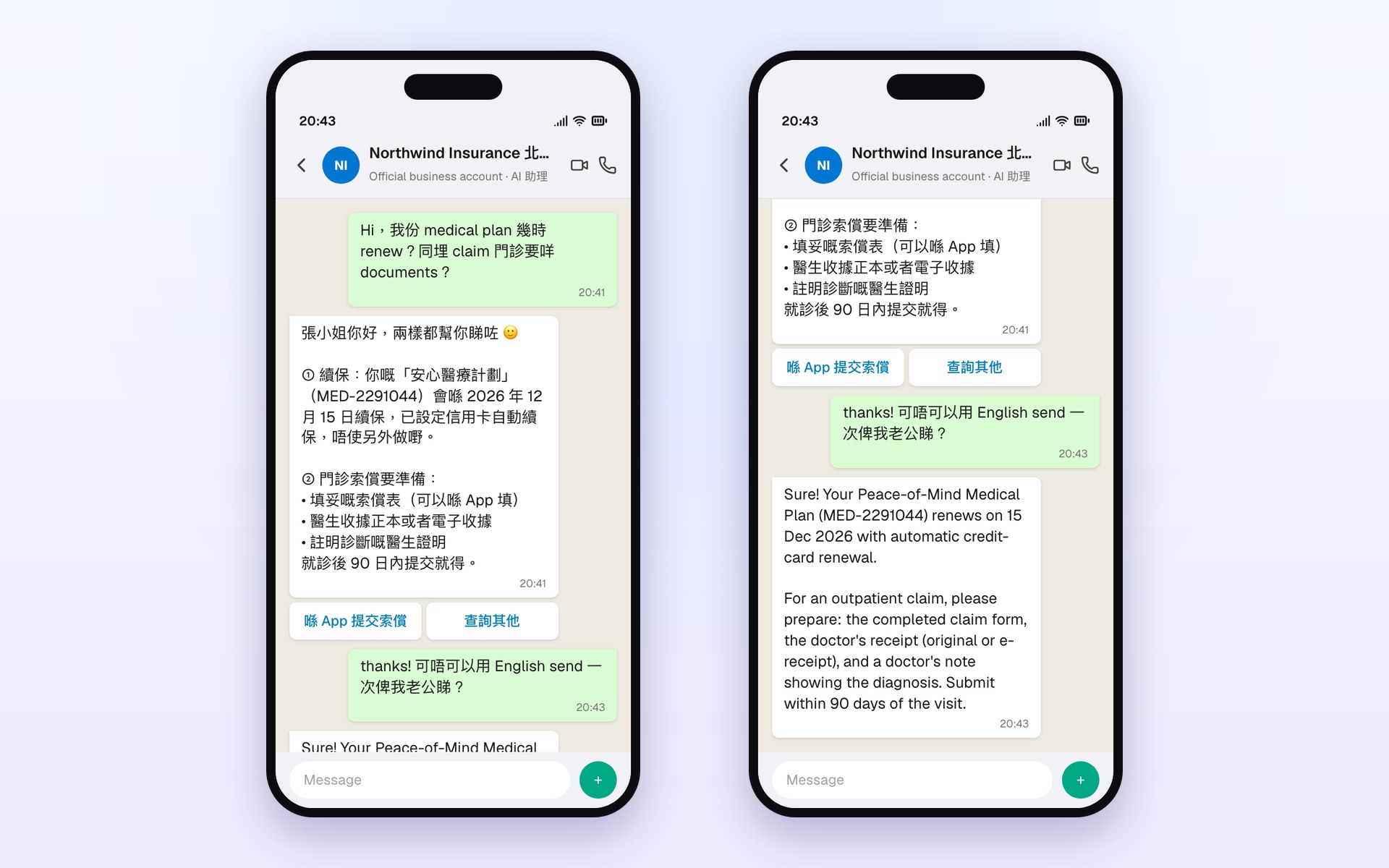
- Mabel asks about her renewal and outpatient claim documents in one message mixing Cantonese and English.
- The AI assistant looks up her policy MED-2291044 and the knowledge base, and answers both.
- She asks for English to forward to her husband; the same answer comes back in English.
AI-02Asks before it answers, hands over when unsureChecks which policy, answers from the policy terms with the clause, and passes advice questions to a person.Northwind Insurance
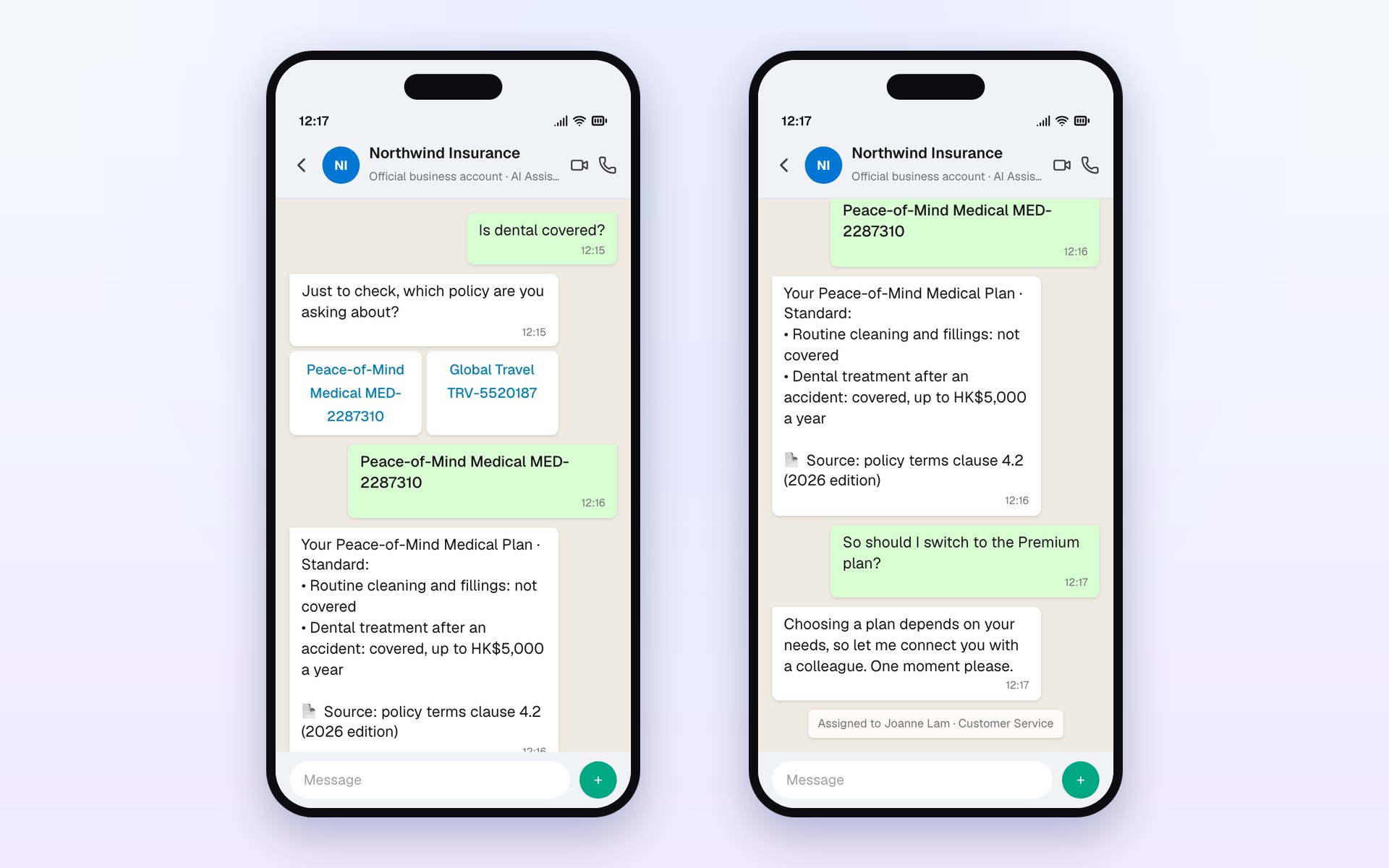
- Raymond has two policies, so it asks which one he means.
- The answer cites its source: policy terms clause 4.2 (2026 edition).
- “Should I upgrade?” needs advice, so it hands over to Customer Service instead of guessing.
AI-03One sentence becomes a repair orderAI Concierge picks out estate, flat, category, room and time; the resident confirms and the work order opens.Contoso Property
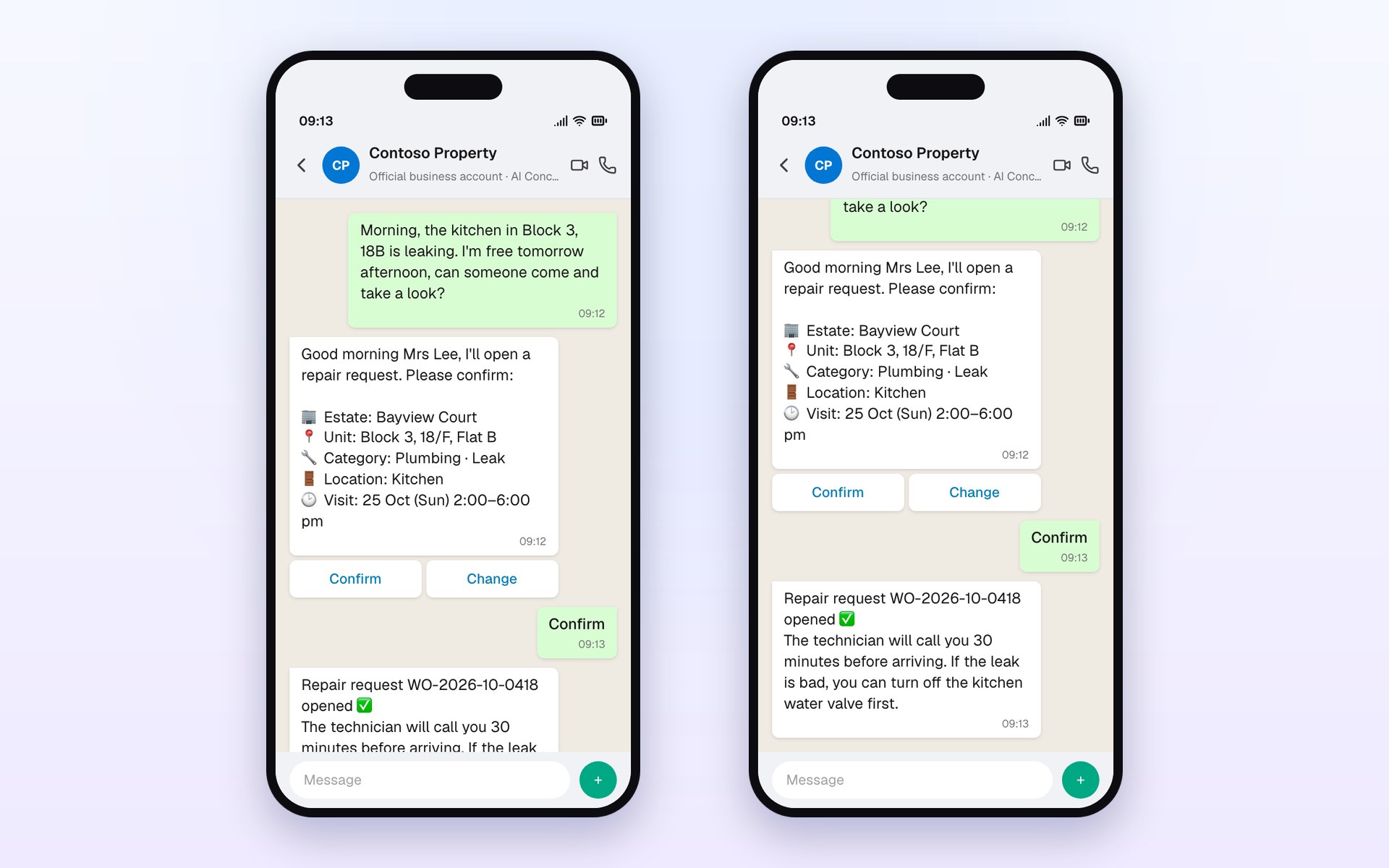
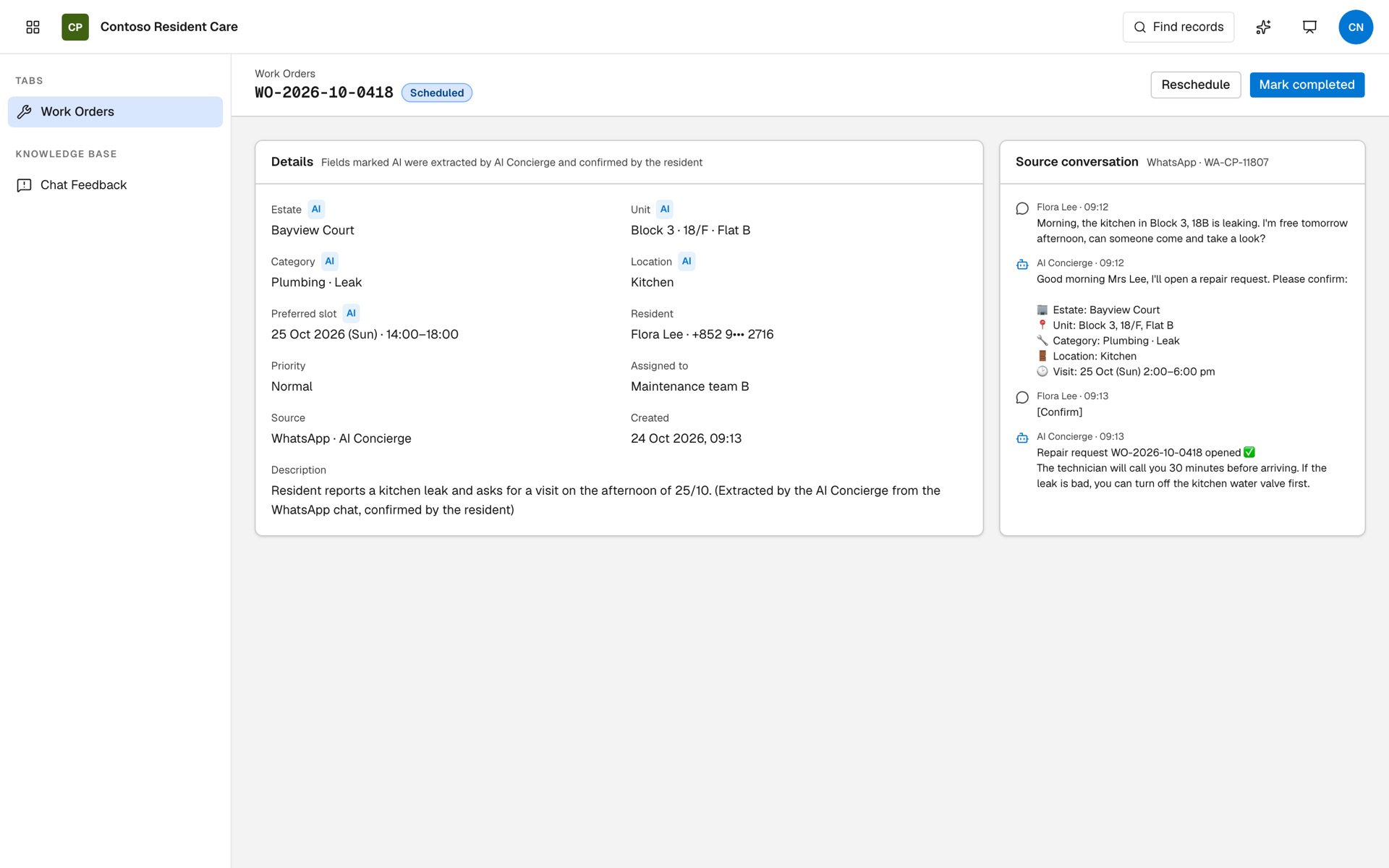
- The resident writes one line: flat, problem, room and when she is free.
- AI Concierge fills 5 fields, checks the flat against the resident record and asks her to confirm.
- Work order WO-2026-10-0418 opens with every AI-extracted field marked.
Agents in the Chat Portal and KB Chat
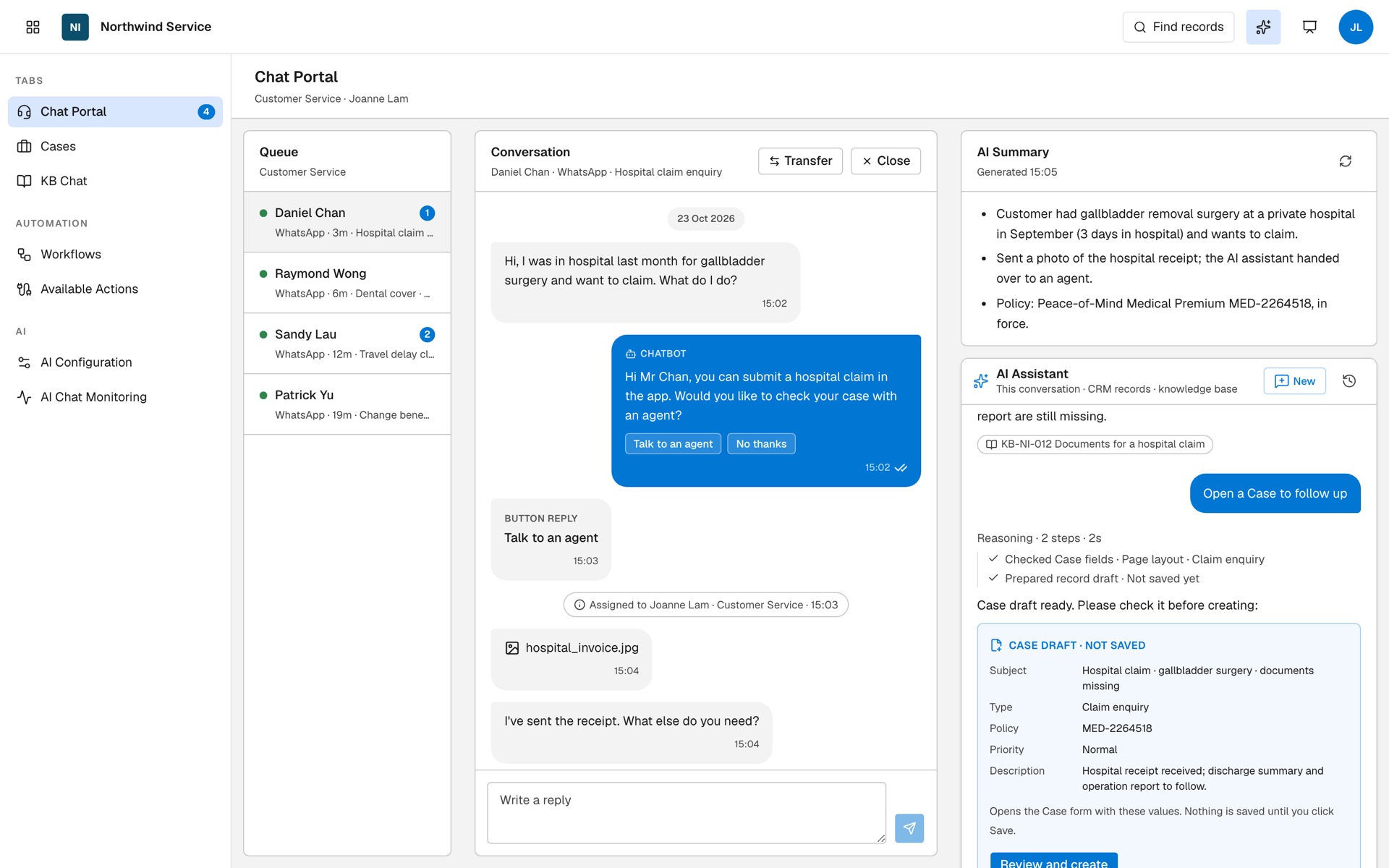
AI-04An AI assistant beside every conversationSummarises the chat, finds past claims and required documents, and drafts a Case for the agent to check.Northwind Insurance
- AI Summary in one click: what happened, what the customer has sent, which policy.
- Ask in everyday words; it checks 2 Claim records and KB-NI-012 and shows the source.
- “Open a Case to follow up” gives a Case draft; nothing is saved until the agent clicks Save.
AI-07Ask internal SOPs in KB ChatStaff ask in everyday words; every answer cites its source articles and can be translated.Northwind Insurance
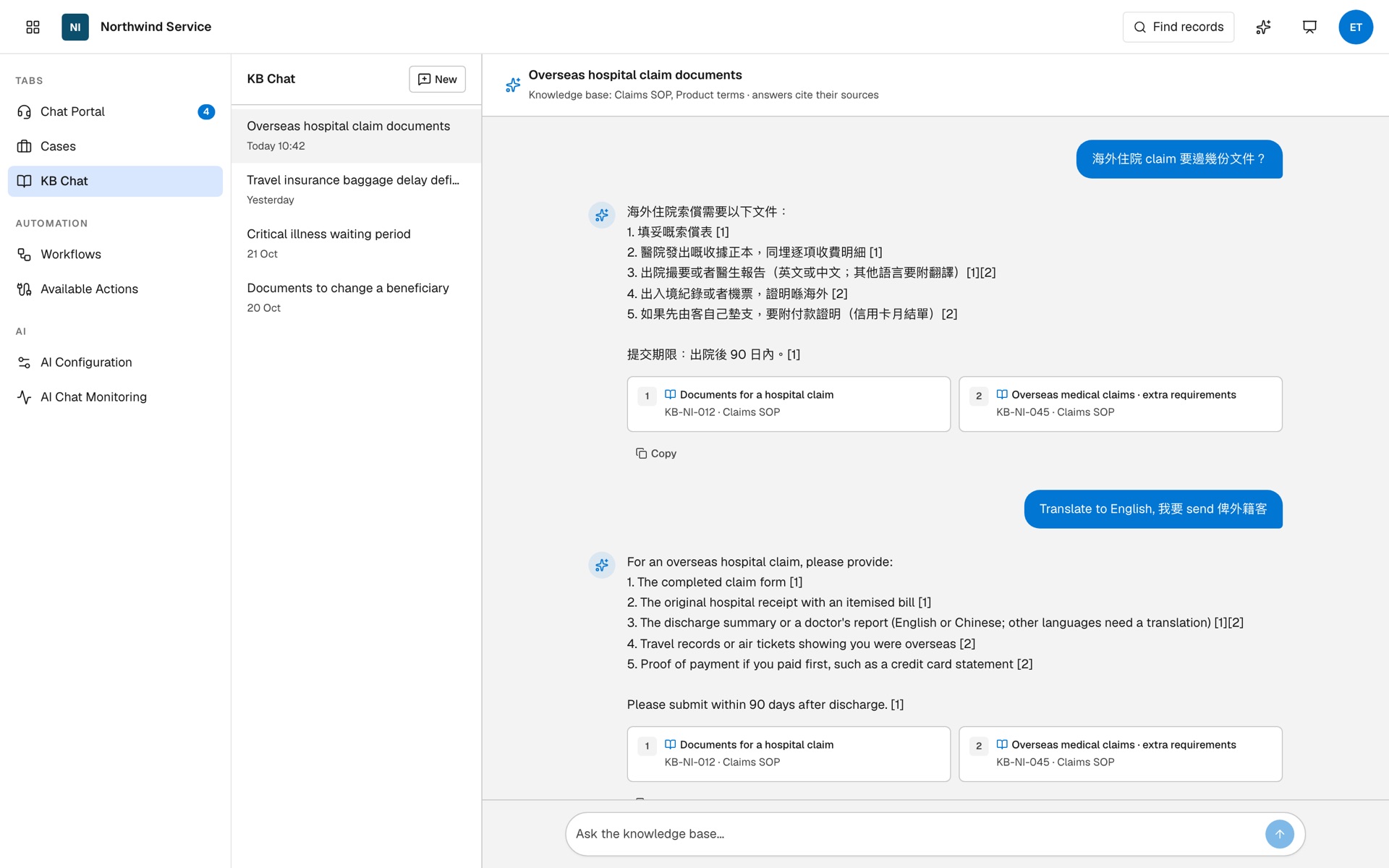
- “What documents for an overseas hospital claim?” The answer lists 5 items and the 90-day deadline.
- Each point links to KB-NI-012 or KB-NI-045 in the Claims SOP.
- “Translate to English” gives a version ready to send to an overseas customer.
Managers with the CRM AI assistant
AI-05Ask your CRM in everyday words“Which estate had the most repairs?” It queries 574 work orders and answers with a table.Contoso Property
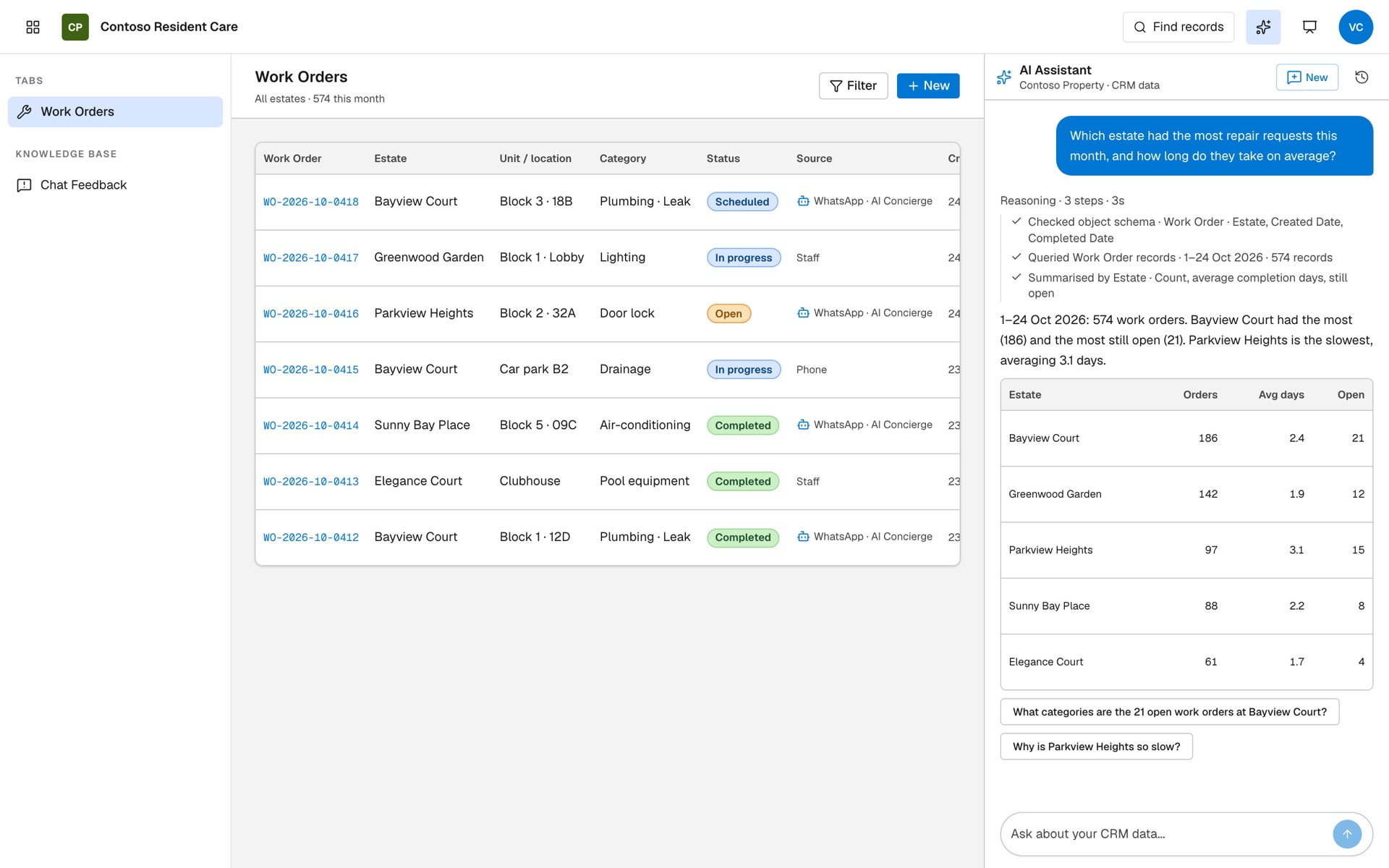
- It shows its steps: checks the Work Order fields, queries 1–24 Oct, groups by estate.
- Bayview Court has the most (186) and the most still open (21); Parkview Heights is slowest at 3.1 days.
- Suggested follow-up questions help you dig deeper.
AI-06One sentence drafts a work orderEstate, location, category, vendor, description and time are filled in; you check, then Save.Contoso Property
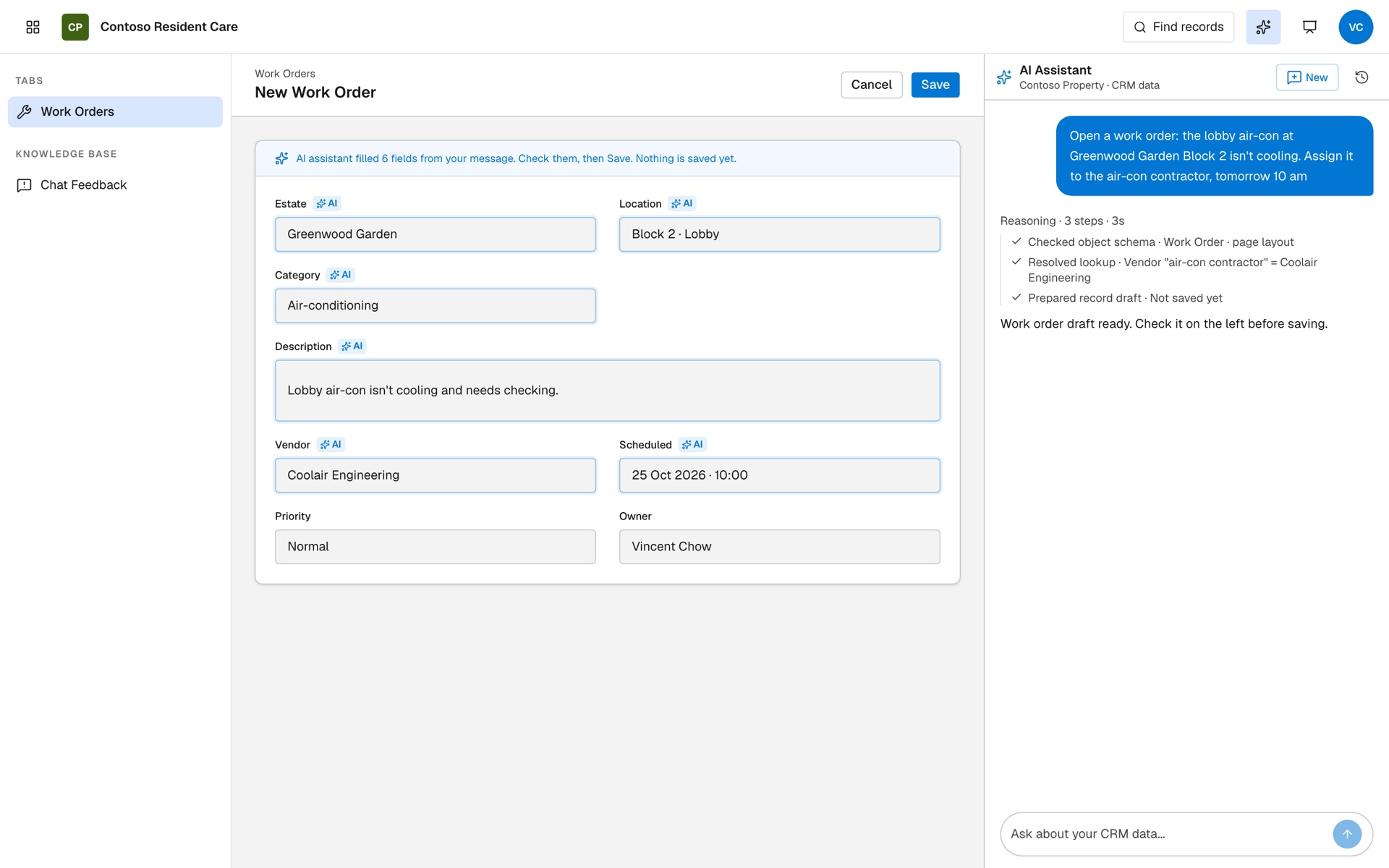
- “Greenwood Garden Block 2 lobby air-con isn't cold. Give it to the air-con contractor, 10am tomorrow.”
- It matches “air-con contractor” to the vendor Coolair Engineering.
- The New Work Order form opens with 6 fields marked AI; nothing is saved until you click Save.
Admins keeping AI accurate and in control
AI-08Fix a wrong answer from resident feedbackA resident flags an outdated answer; AI drafts the correction, a trial chat passes, then it goes live.Contoso Property
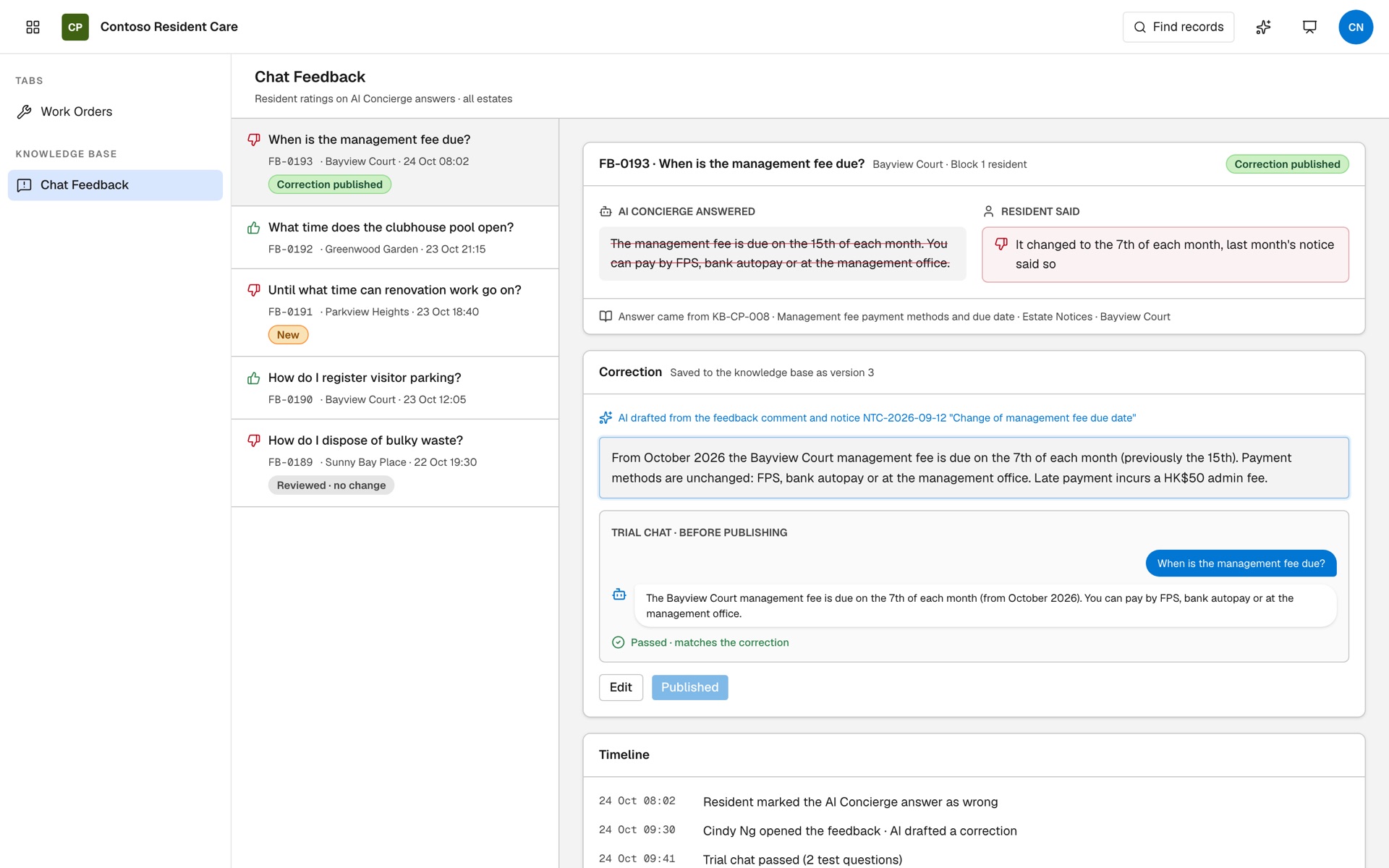
- FB-0193: the management-fee cut-off moved from the 15th to the 7th.
- AI drafts the update to KB-CP-008 from the comment and the estate notice.
- A trial chat passes and the correction is published, 15 minutes after the feedback was opened.
AI-09AI steps inside workflowsWhen a claim chat closes, AI writes a summary to the Case and sends structured JSON to the claims system.Northwind Insurance
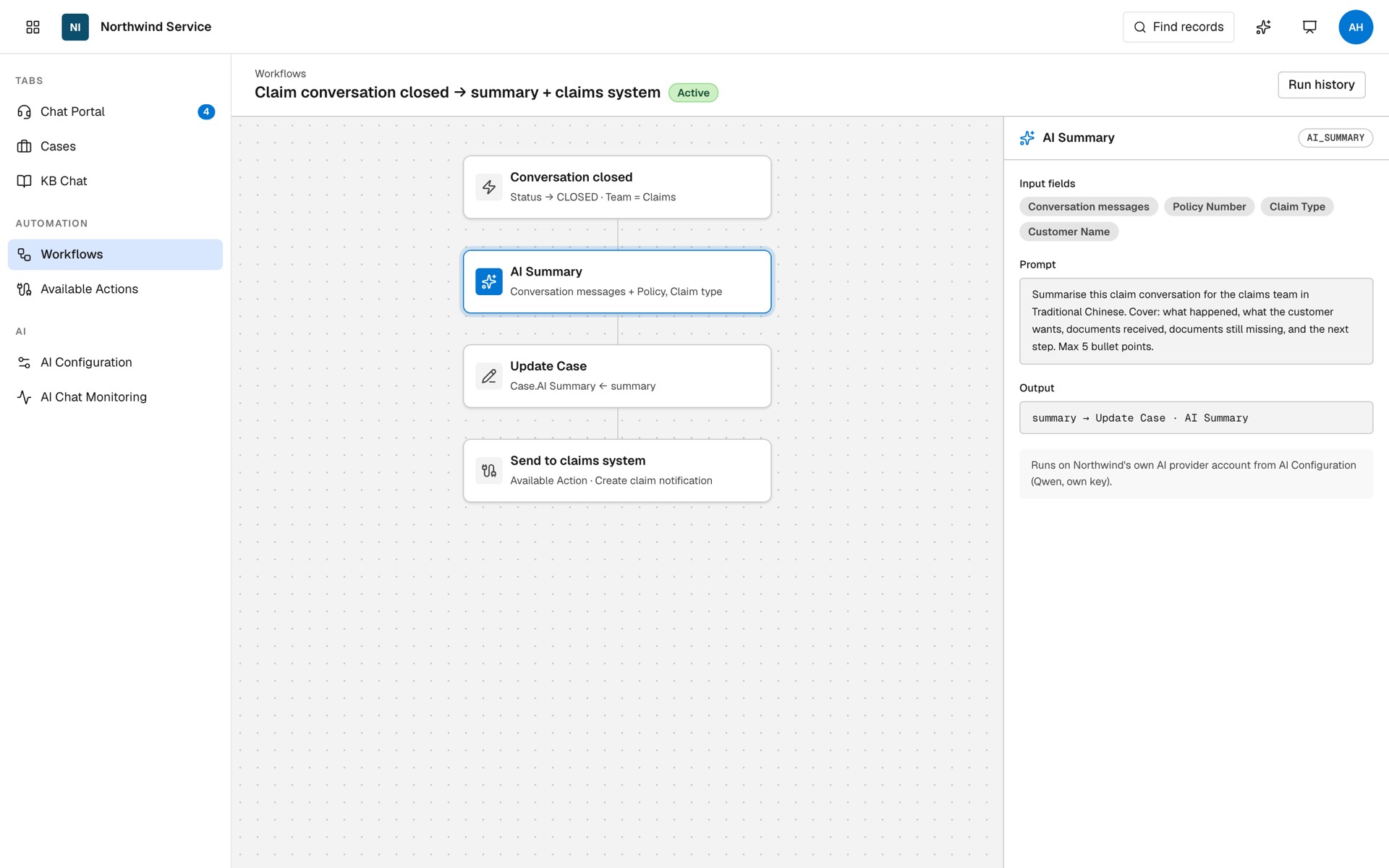
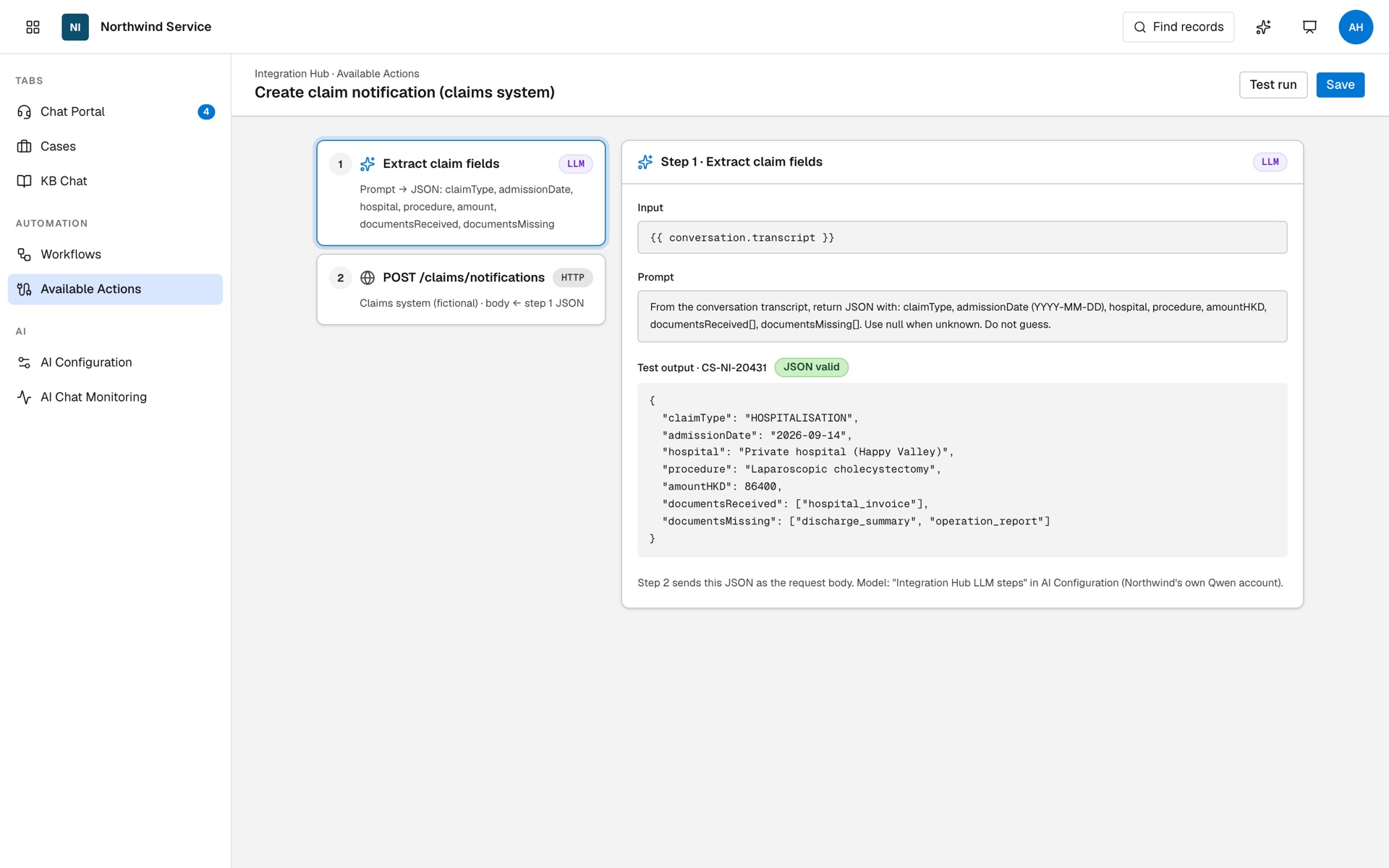
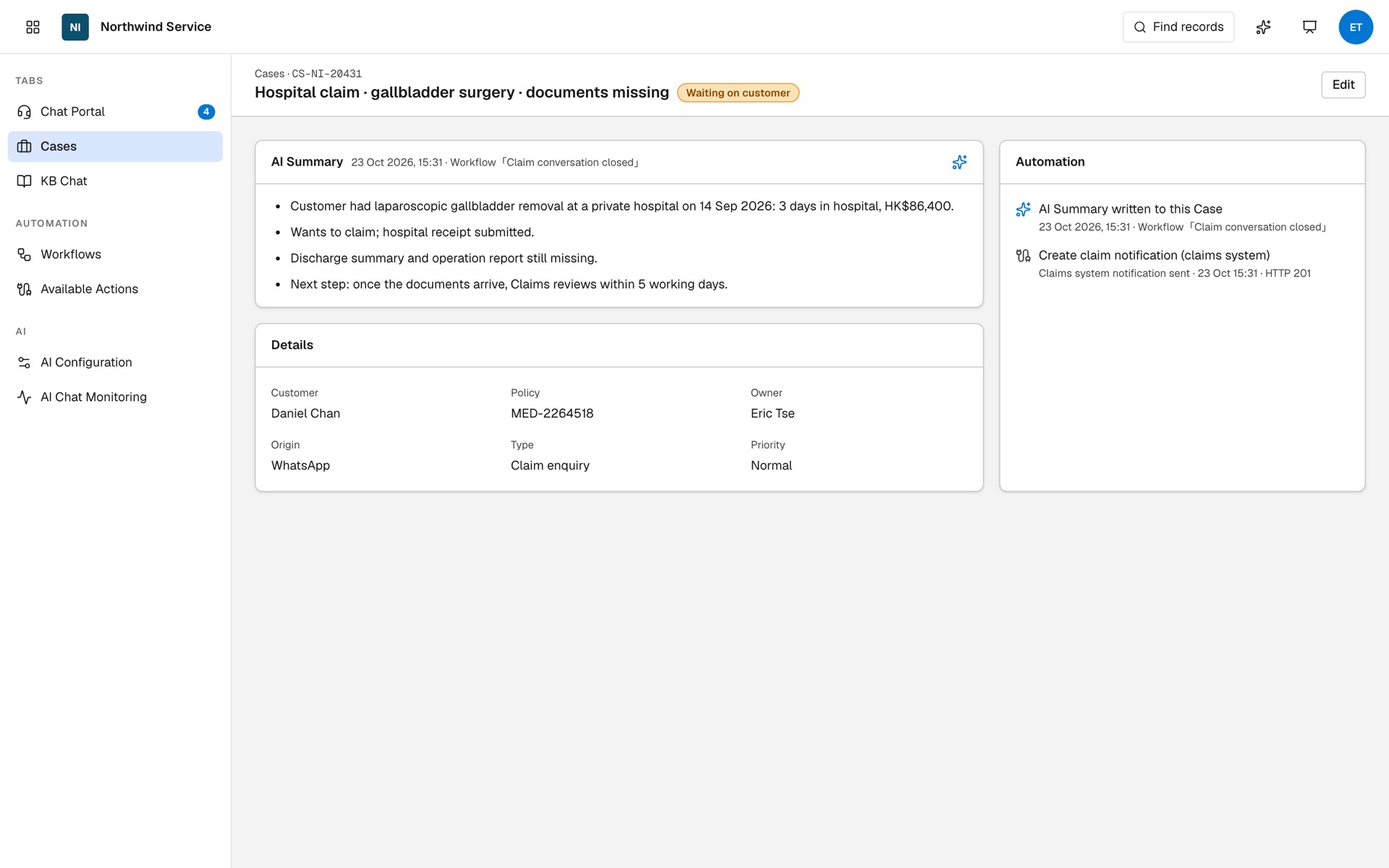
- Trigger: conversation closed, team = Claims.
- The AI Summary step writes 4 bullet points to Case CS-NI-20431.
- An LLM step turns the conversation into JSON and posts it to the claims system (fictional).
AI-10Bring your own key, choose models, watch usageYour own Qwen account, a model for each feature, and monitoring of messages, calls, tokens and failures.Northwind Insurance
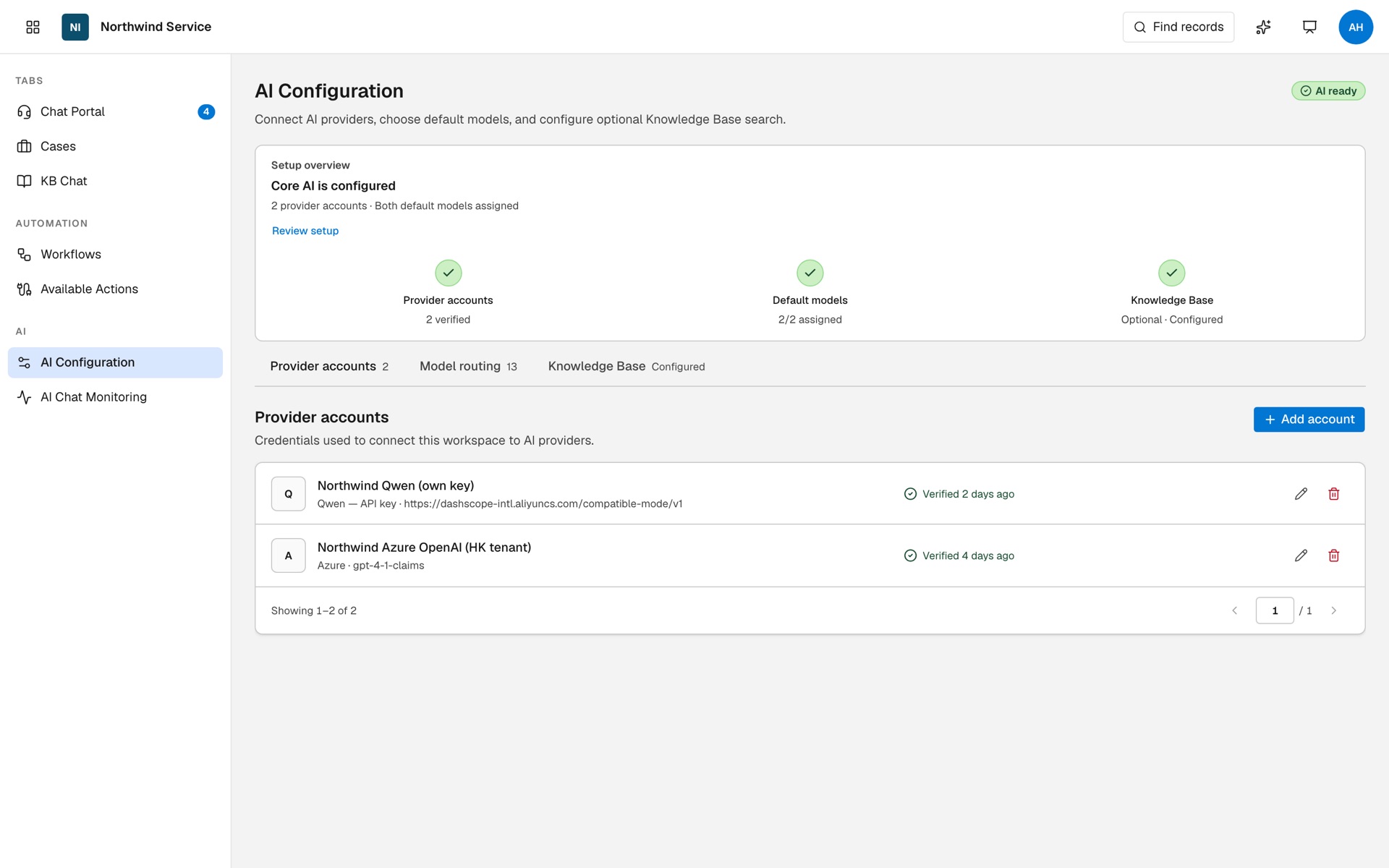
- Northwind Qwen (own key) is verified, beside the Azure account.
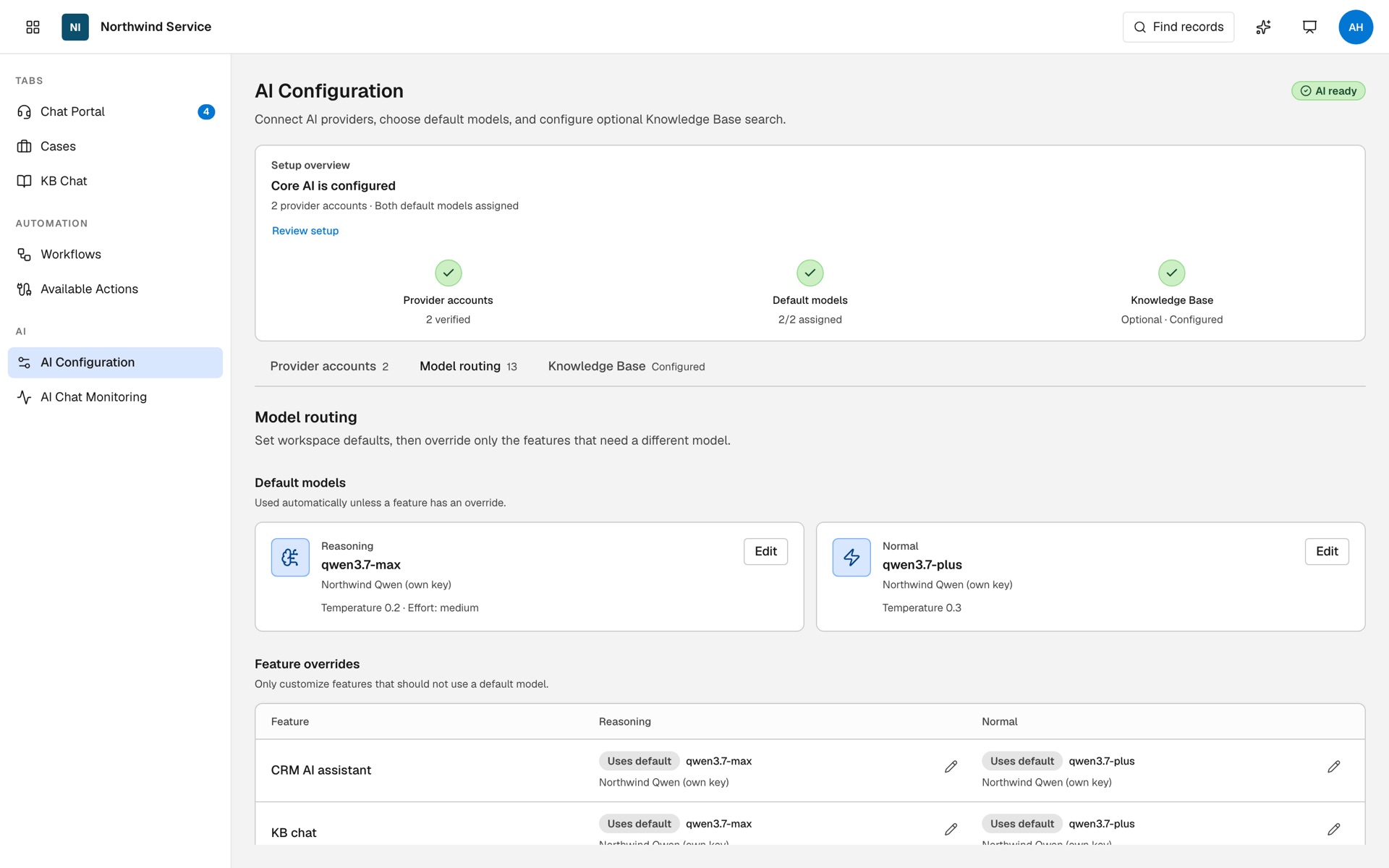
- Defaults are qwen3.7-max and qwen3.7-plus; override only the features that need another model.
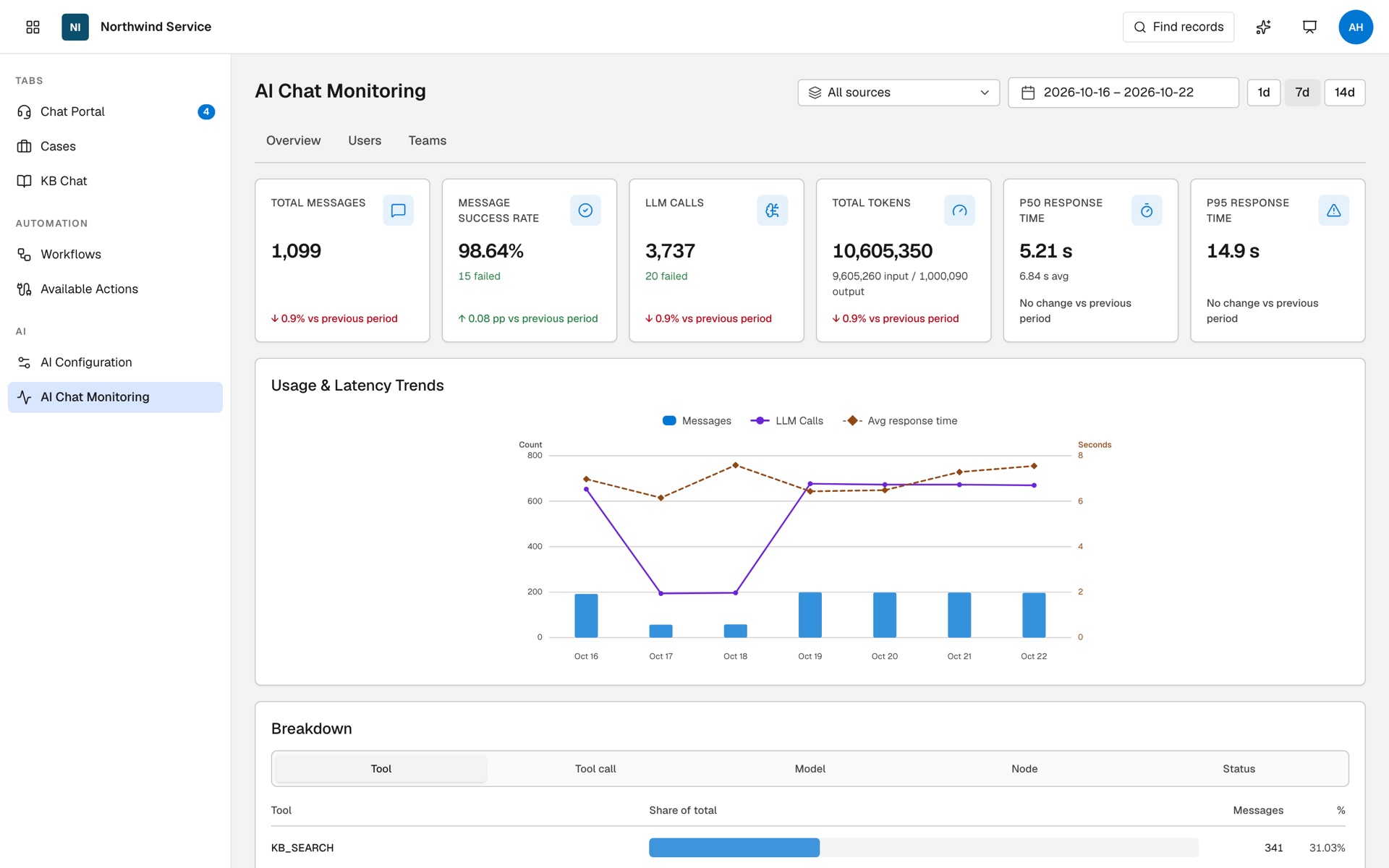
- In 7 days: 1,099 messages, 98.64% success, 3,737 LLM calls, 10,605,350 tokens.
Connect your own key, then watch AI help an agent and a manager
Your AI account, your models, your usage in view
-
Add your own account
Add a provider account: choose Qwen, name it and paste your own API key.
-
Test the connection
One click checks the key works before any AI feature uses it.
-
Choose a model for each feature
Set default reasoning and normal models, then override per feature, for example to keep the chatbot flow on a different account.
-
Watch usage and failures
AI Chat Monitoring shows messages, LLM calls, tokens and failures, by user and team, with a trace for each call.